Testimonials
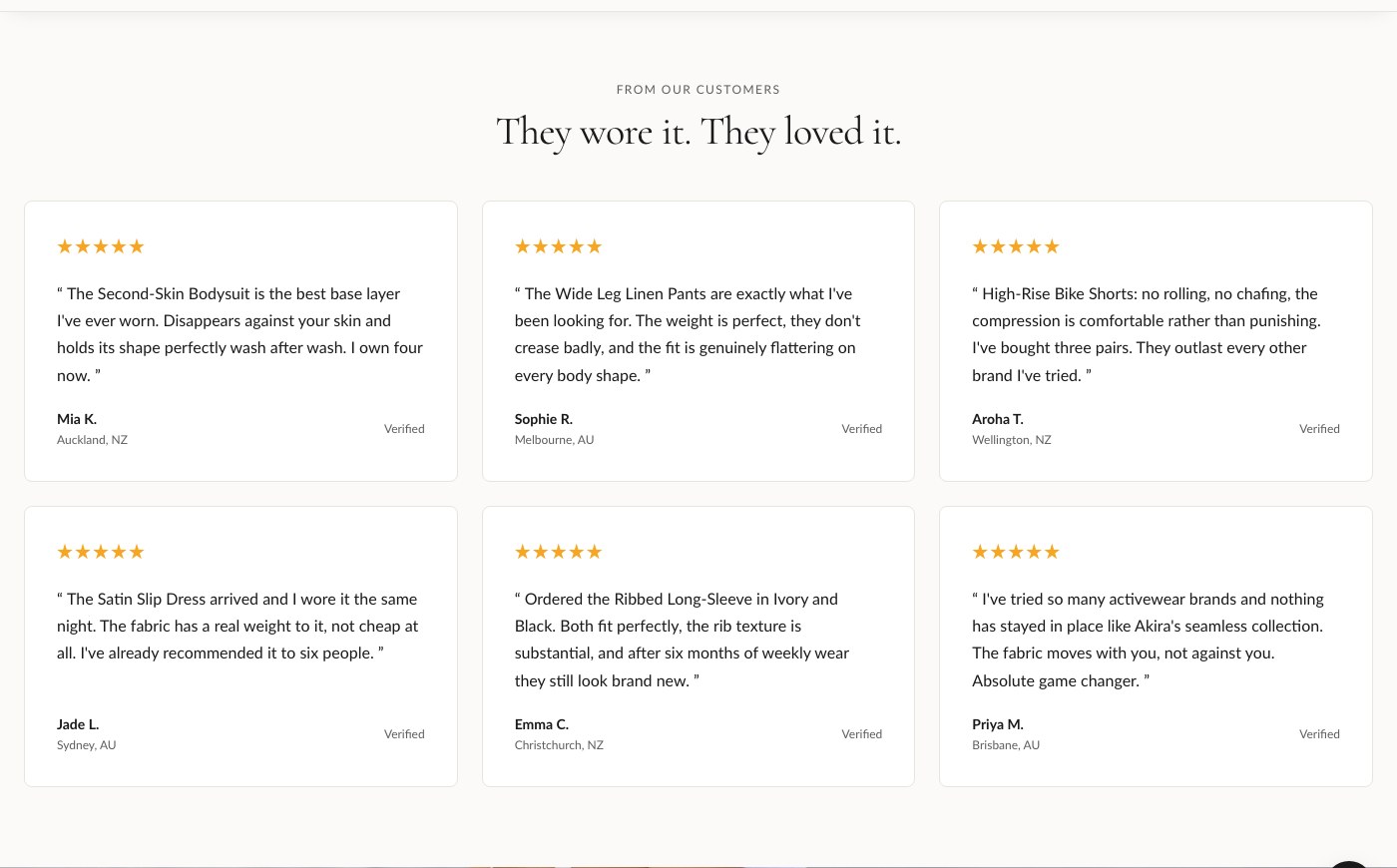
The Testimonials section displays customer quotes as either a static grid or an auto-advancing slideshow. Each quote is its own block, so you can add, reorder, or remove testimonials without touching the section settings.
Section settings
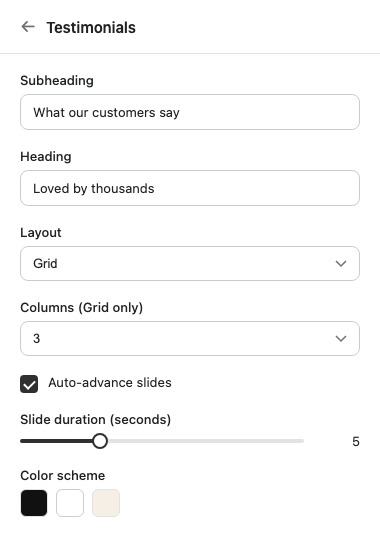
| Setting | What it does |
|---|---|
| Subheading | Supporting text shown above the heading. |
| Heading | Main heading for the section. |
| Layout | Choose Grid (all testimonials shown at once) or Slideshow (one at a time, advancing). |
| Columns (Grid only) | How many testimonials appear per row when Layout is set to Grid. |
| Auto-advance slides | Automatically moves to the next testimonial. Only applies when Layout is set to Slideshow. |
| Slide duration (seconds) | How long each testimonial is shown before advancing. Only applies to Slideshow. |
| Color scheme | Sets the section's colors from your theme's color schemes. |
| Top padding / Bottom padding | Spacing above and below the section, in pixels. |
Testimonial blocks
Add one Testimonial block per quote. Each block holds the quote text, the author's name, a star rating, a location, and an optional verified badge so shoppers can see the review has been confirmed.
Tip: If you're showing five or fewer testimonials, Grid usually reads better since visitors can scan them all at once. Switch to Slideshow once you have enough quotes that a grid would start to feel crowded on mobile.