Selling something valuable on Shopify has always carried a trust gap the checkout itself cannot close. A buyer can see the photos, read the description, and pay, but nothing at the point of sale actually proves the item in the box is genuine. Merchants selling jewelry, fine art, watches, limited sneaker drops or collectibles have handled this with printed certificates, hologram stickers, or nothing at all, and none of those options survive a resale or a suspicious buyer with a search bar.
Authentica closes that gap natively inside Shopify. It is live on the App Store today, free to install, and the free plan covers 50 certificates a month with the complete designer included.
Why we built it this way
Before writing a line of code we looked at what already existed. The established players in Certificate of Authenticity software lean on blockchain wallets and charge a fee for every certificate issued, which punishes a merchant for selling more and asks a buyer who just wants proof to first understand crypto. The tools that skip the blockchain tend to be locked to a single niche, almost always jewelry, so a sneaker brand, a wine merchant or a trading card seller is left out entirely. Neither approach felt right for a general-purpose Shopify app, so Authentica was built around three constraints instead: flat pricing with no fee per certificate, cryptographic signing instead of a blockchain, and category presets that cover a dozen niches from day one.
What ships today
Every feature below is live in the current App Store release, no waitlist and no beta label.
A certificate for every order, automatically
The moment an order is marked paid, Authentica issues a certificate for each unit purchased, complete with its own serial number and QR code. A quantity of three on one line item issues three individually serialed certificates, not one certificate covering all three. The trigger can be switched to fire on fulfillment instead of payment, and a tag-based opt-in lets a merchant certify only part of a mixed catalog if that fits their business better.
A real designer, not a fixed template
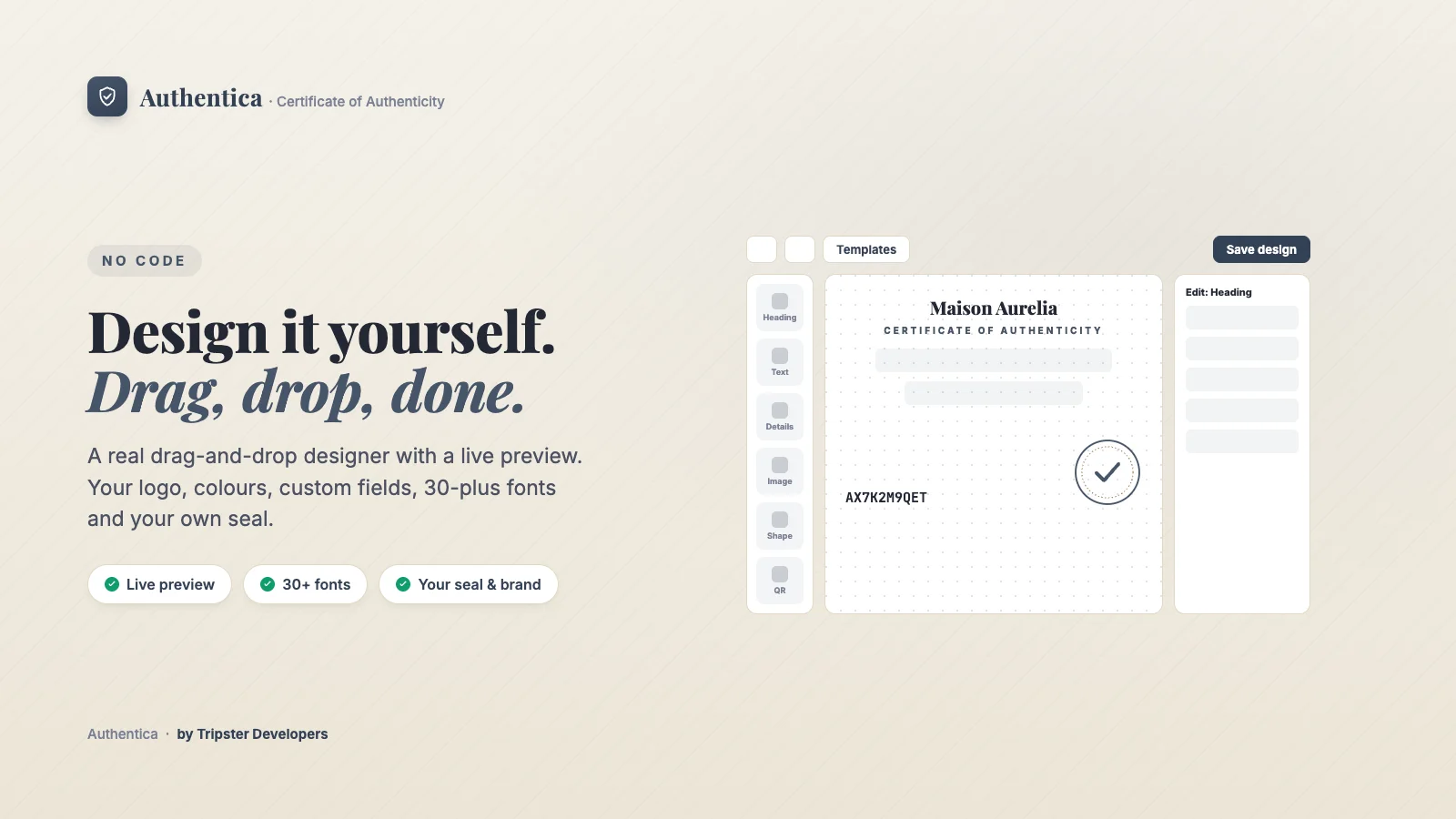
Open Design and the certificate lives on a free-positioning canvas: drag elements where you want them, multi-select, align with guides, undo, and work in layers, the way a real design tool works rather than a form with blanks to fill in. Add a logo and a custom seal upload, choose from more than thirty fonts, pick a light, dark, ivory or charcoal theme with your own accent color, and set the print paper size for a certificate that can go into the box as well as live online. Category presets for jewelry, fine art, watches, sneakers, trading cards, wine, coins, handmade goods, antiques, rare books and instruments auto-fill sensible starting wording and fields, so nothing defaults to a jewelry-shaped layout for a merchant selling something else entirely.
QR verification with no account and nothing to install
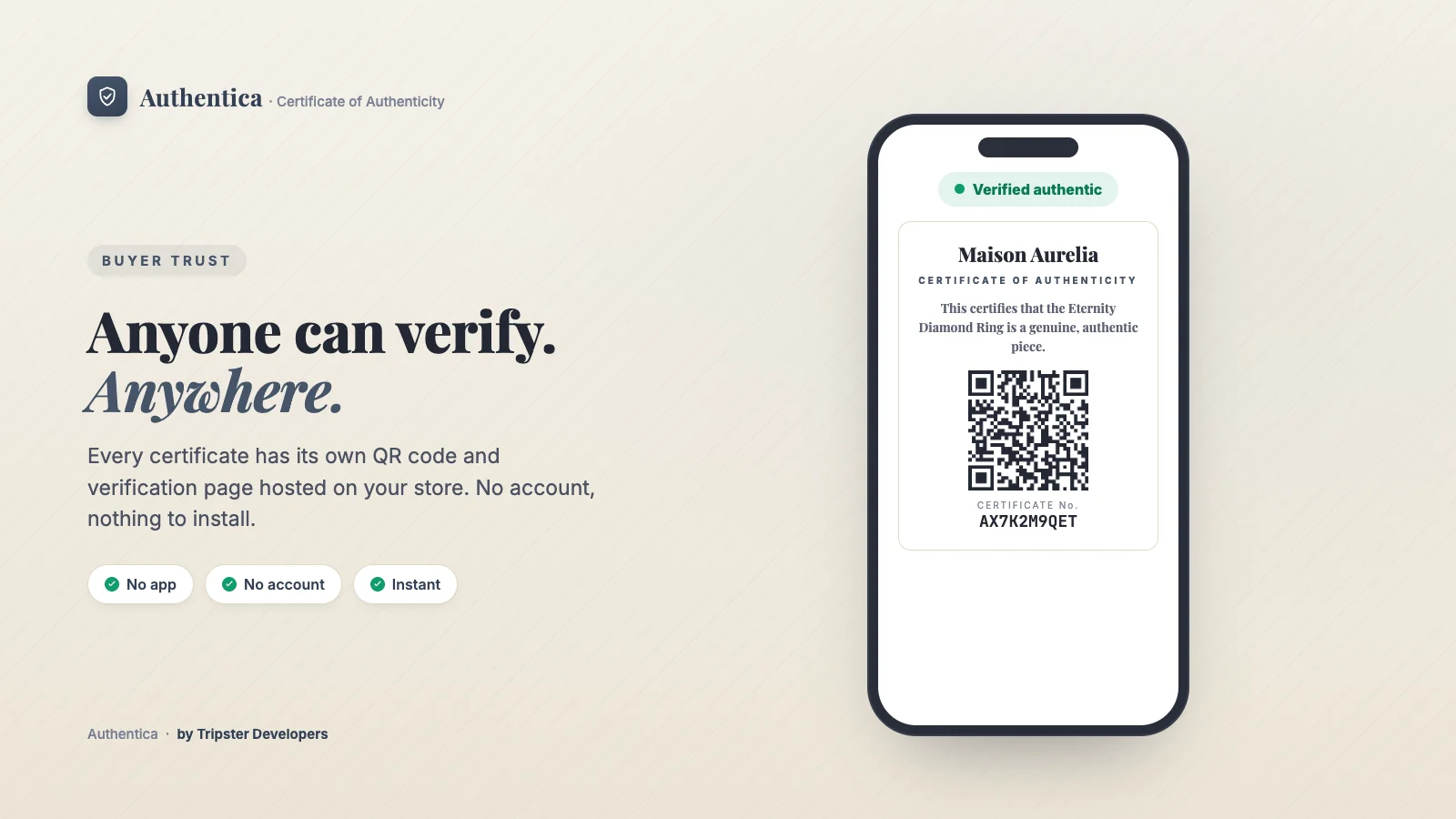
Every certificate carries its own verification page hosted on the merchant's own store. A buyer, or anyone who later owns the item, scans the QR code and sees a clear "Verified authentic" state in their own browser. There is no app to install, no account to create, and no wallet to connect.
Cryptographic signing instead of a blockchain
Every certificate is signed with an app-wide Ed25519 keypair and carries a SHA-256 fingerprint taken at the moment it is issued. Tamper with any signed field afterwards and both the fingerprint and the signature break, and both are independently checkable from the verification page. That gives a certificate the same tamper-evidence people associate with blockchain systems, without a wallet, a gas fee, or a third-party ledger anywhere in the flow.
Ownership transfer and a provenance trail
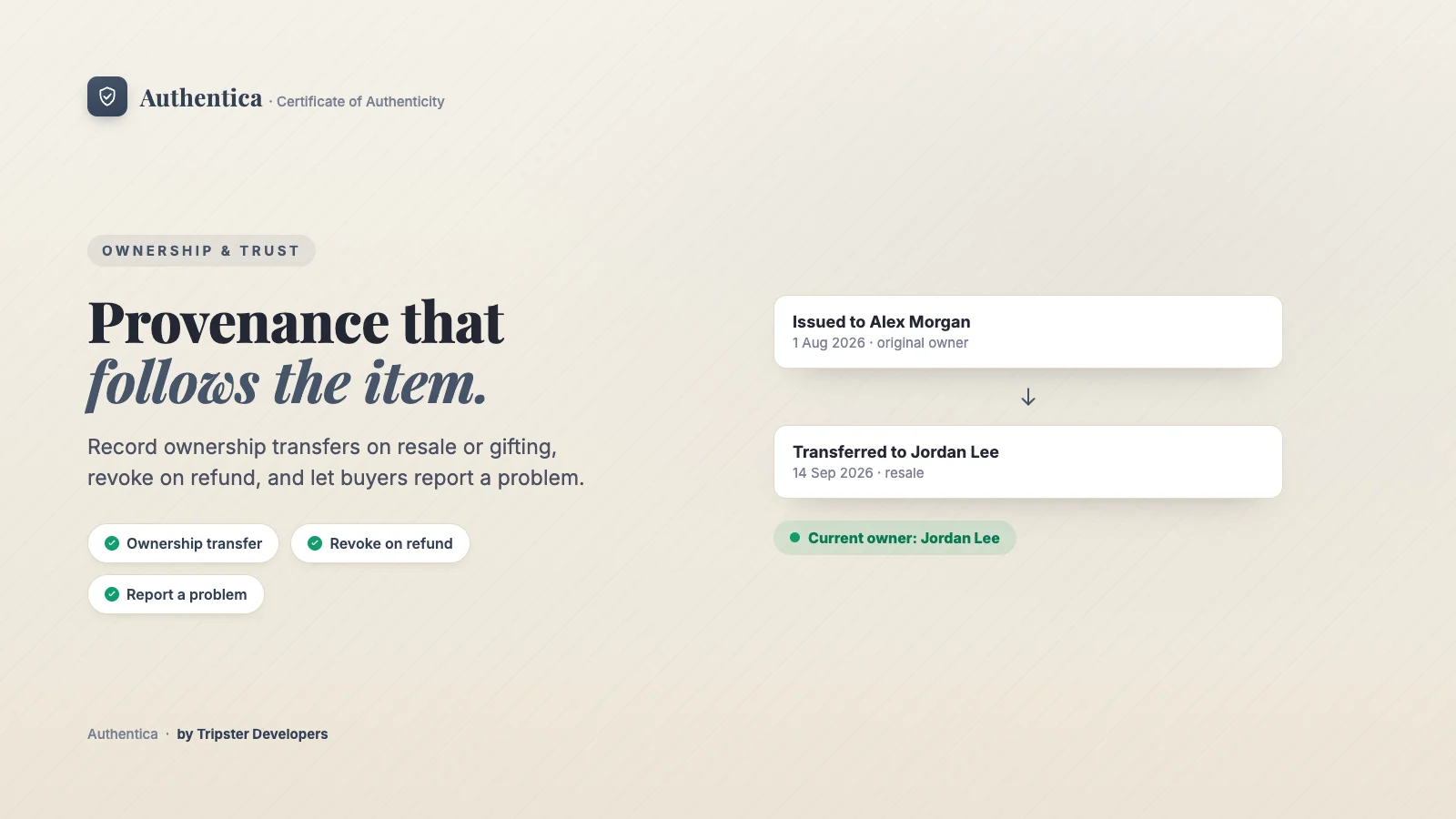
When an item is resold or gifted, the buyer or the merchant can record an ownership transfer directly from the verification page. The certificate updates to show the current owner while a full provenance trail keeps every previous owner on record underneath, so the certificate travels with the item through resale instead of staying frozen with whoever bought it first. If the underlying order is refunded, the certificate is revoked automatically and the verification page reflects that the moment it happens, no manual step for the merchant to remember.
Back-catalog issuance
A merchant does not have to start from zero. Back-catalog issuance runs in the background and certifies every past paid order in one go, so a store that has been trading for years can put a certificate behind every customer it has ever had before its next launch or fair, not just orders placed after installing the app.
QR labels, packing slips and NFC
Printable QR labels are ready for products and packaging, a Liquid snippet drops a scan-to-verify QR code straight onto packing slips, and a certificate's verification link can be written directly to an NFC tag on Web NFC compatible devices. In-person sales through Shopify POS auto-certify like any other order, and staff can look a certificate up by serial number at the counter.
Pricing
- Free: 50 certificates a month, full designer, no credit card required
- Starter: $7.99/month, 500 certificates, removes Authentica branding, Klaviyo and webhook events
- Pro: $19.99/month, 5,000 certificates, white-label verification page, priority support
How to get started
- Install free. Head to apps.shopify.com/authentica-coa-certificates and install. No credit card required on the free plan.
- See a sample certificate. Open the app and click "See a sample certificate" on the Certificates page to view a rendered certificate and its verification page before a real order arrives.
- Pick a category and design it. Choose your niche in Design, let the preset auto-fill wording and fields, then adjust logo, colors, fonts and layout to match your brand.
- Set your auto-issue trigger. Choose payment or fulfillment as the moment certificates go out, in Settings.
- Certify your back-catalog, if you want to. Run "Certify past orders" once to put a certificate behind every past customer too.
Part of the Miko ecosystem
Authentica joins a growing family of native Shopify apps from Tripster Developers. Miko Loyalty & Rewards drives retention and repeat purchase. Miko B2B Wholesale Pricing handles wholesale pricing and NET terms on any Shopify plan. Miko Restock: Inventory & PO forecasts demand and raises purchase orders, and Miko Bulk Image Resizer keeps product photography fast and consistent. Authentica adds proof of authenticity to that stack, for every merchant whose product's value depends on being provably real. Read the full build note on Authentica →
Frequently asked questions
Is Authentica free to install?
Yes. The free plan covers 50 certificates a month with the full drag-and-drop designer, QR verification, numbered editions, back-catalog issuance, and ownership transfer and provenance. No credit card required.
Does Authentica need a crypto wallet or NFTs?
No. Authentica signs every certificate cryptographically and gives it a tamper-evident fingerprint, with no wallet, NFT or blockchain involved for the merchant or the buyer.
What kinds of Shopify stores is Authentica for?
Any store where a buyer could reasonably ask "is this real": jewelry, fine art, watches, luxury fashion, sneakers, collectibles, wine, coins, handmade goods, antiques and more. Category presets cover all of these from day one.
How is Authentica priced?
Free for 50 certificates a month. Starter is $7.99 a month for 500 certificates. Pro is $19.99 a month for 5,000 certificates and a white-label verification page. There is no fee per certificate on any plan.
Give every order proof it is genuine
A drag-and-drop designer, QR verification, provenance and cryptographic signing, all native to Shopify, all available on the free plan today. Install Authentica free from the Shopify App Store and your very next paid order can ship with a real certificate. Questions or feedback? Reach out to our team.