
Every image the right size
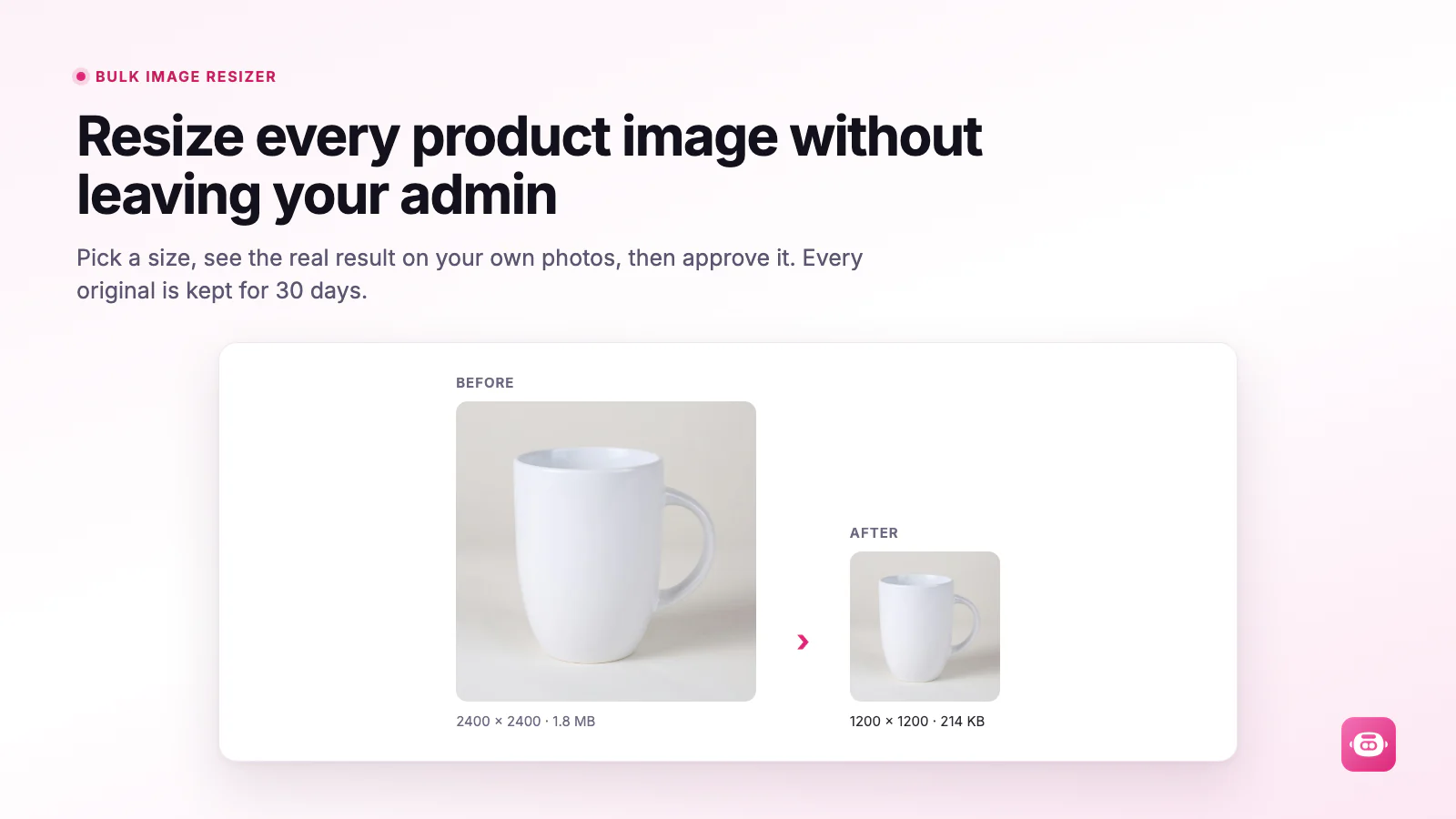
Resize product and collection images in bulk, with a real-time before and after.
 Miko Bulk Image ResizerLive on the Shopify App Store
Miko Bulk Image Resizer is the eighth app in our own Shopify suite. Editing tens of thousands of images that a storefront is actively serving turned out to be a problem about references, color and billing integrity, far more than about resizing. This is the build note.
Modes, settings and pricing live on the Miko product page. Installing costs nothing, the first 100 images are included, then it is $0.02 per image actually resized.
 Miko Bulk Image Resizer
Why merchants install it
Resize product and collection images in bulk, with a real-time before and after.

Bulk template alt text for product images, plus an audit report on your whole catalog.

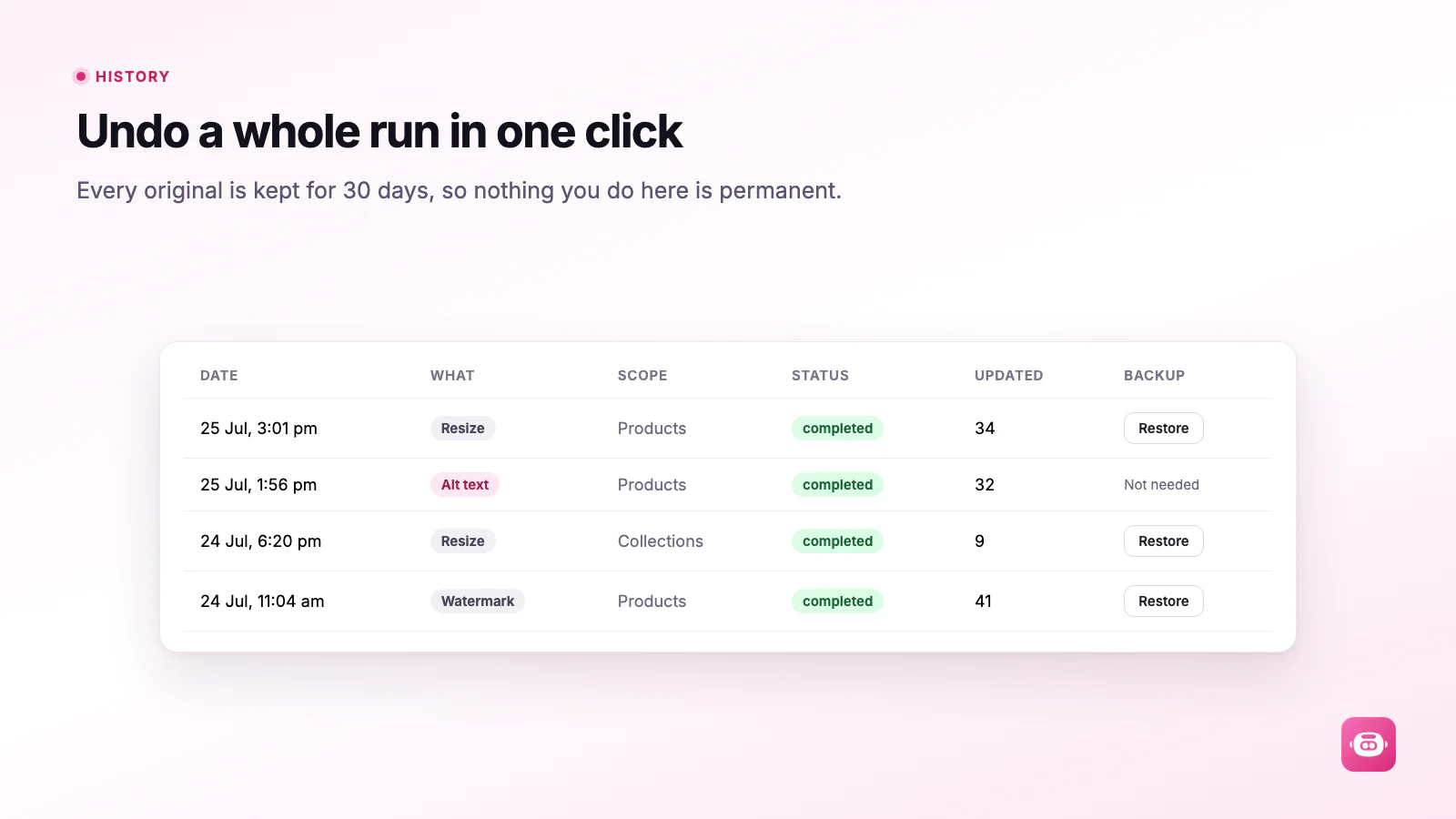
Every original is backed up for 30 days, so any change can be rolled back.
How it works
Add the app from the Shopify App Store. The first 100 images are free.
See which product and collection images need work.
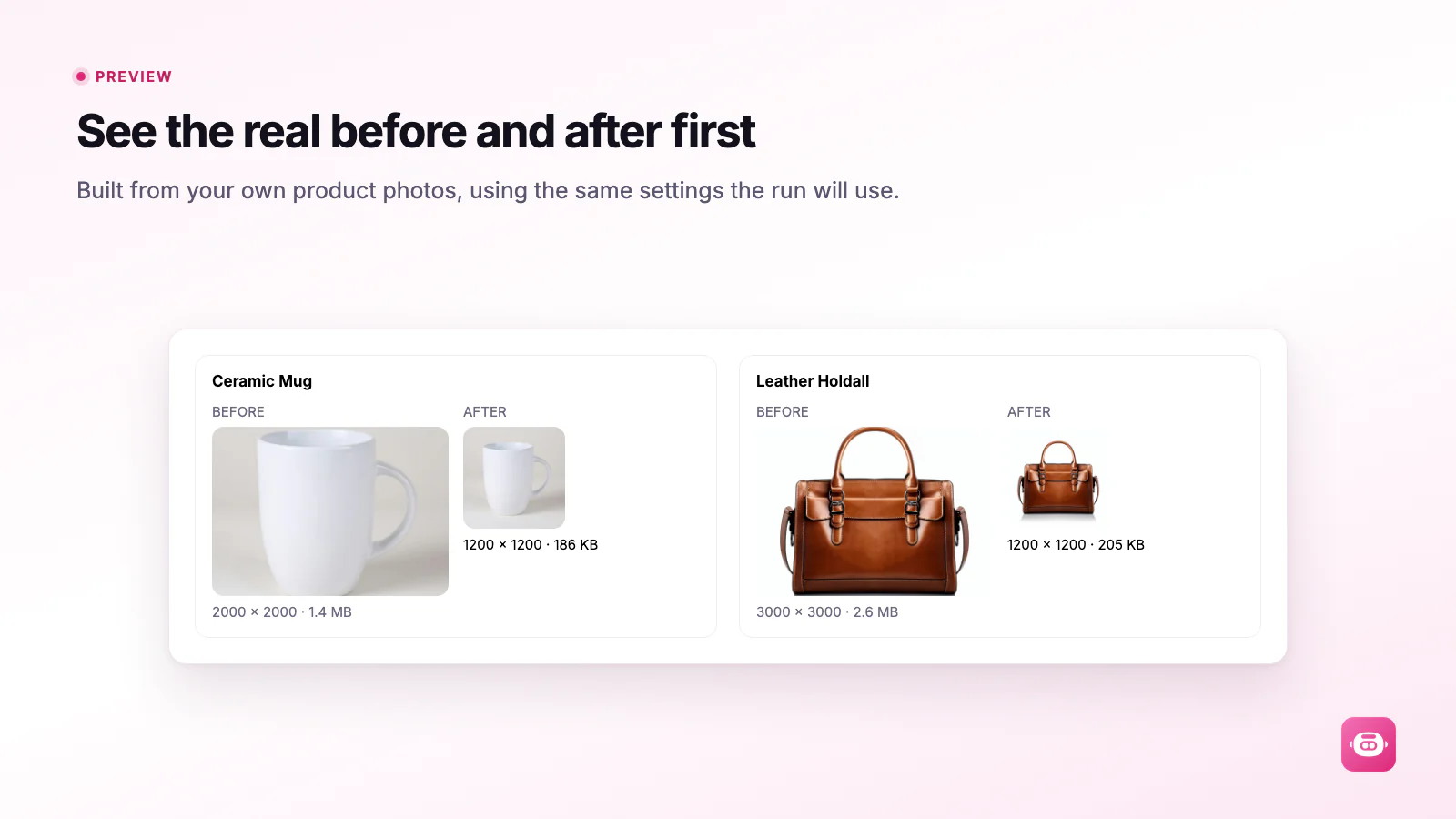
Preview before and after, then apply. Originals stay backed up for 30 days.
Pricing
$0/month
Usage is billed in USD through Shopify, only for images actually resized.
The build story
01The Brief
On theme and Plus projects we kept meeting the same drag on page speed: a catalog of photos from three or four different sources, none of them sized for a shop page. The usual fix is somebody exporting a folder, running it through a desktop tool and uploading it again, which costs a day, loses alt text, and often breaks which picture belongs to which variant.
Before writing a line we read the one-star reviews on the tools already doing this. The complaints were consistent and specific: colors came back wrong, images were cropped badly, and there was no way to undo a run once the storefront looked broken. Those three became the spec, and they are the reason the app is built the way it is.
02The Hard Parts
Each of these is a failure we designed out on purpose, and most of them only show up at catalog scale.
03What This Proves
Most private app and migration briefs are a version of this one. Something has to be changed across an entire catalog, on a store that is taking orders while it happens, and it has to be reversible. That means resumable background jobs, a preview before commitment, references that stay intact after a record is replaced, and billing or throughput limits the client controls rather than discovers. Those are the parts we had to get right here, and they transfer directly.
Full detail, every mode and the pricing are on the Miko Bulk Image Resizer product page, and the merchant guide is at miko.co.nz/docs/image-resizer/.
04From The Build
When software is about to change thousands of things at once, the interface work is mostly about consent and reversal.
FAQ
Tripster Developers, a Shopify agency in Auckland, New Zealand. We wrote the image pipeline, the Shopify media swap, the backup and restore system and the usage billing, and we run the app in production ourselves.
On the product page at miko.co.nz/image-resizer, which carries every mode, setting and screen, plus the pricing. This page is the build note that sits behind it.
Yes. It is live on the Shopify App Store. Installing costs nothing, the first 100 images are included, and the merchant guide walks through every mode before you run anything.
Replacing a live image without breaking anything that points at it. Shopify media is created, polled until ready, reordered into the original position and only then is the old file removed, and variants are re-pointed at the new media so no variant loses its picture.
Yes. Bulk operations over a large catalog, resumable background work, metered billing and an undo path are common requirements in private app and integration work, and they are all in production here. See Shopify app development.
Built by
Miko Bulk Image Resizer is built and maintained by Tripster Developers, a Shopify Partner working on Shopify and Shopify Plus since 2016, from Auckland, New Zealand. Bulk Image Resizer is the eighth app in the Miko suite, built for merchants carrying more image weight than their storefront can afford.
We build the same way for clients: custom Shopify themes, Shopify Plus builds, ERP and middleware integrations, and private apps for merchants who need something the App Store does not sell.
Free to install. First 100 images free. Every original backed up for 30 days.
Install free on ShopifyTell us what needs to move, and we will tell you how we would do it safely.
More apps we build and run
Every Miko app is built to the same App Store standard and maintained by the developers you would talk to on a project.
 Miko Loyalty & Rewards
Points, VIP tiers and referrals that bring shoppers back.
Miko Loyalty & Rewards
Points, VIP tiers and referrals that bring shoppers back.
 Miko B2B Wholesale Pricing
Wholesale prices by customer tag, NET terms and POs.
Miko B2B Wholesale Pricing
Wholesale prices by customer tag, NET terms and POs.
 Miko Claude AI
Churn prediction, RFM segments and AI win-backs.
Miko Claude AI
Churn prediction, RFM segments and AI win-backs.
 AI Descriptions & Narrate
Bulk SEO copy in your voice, plus a Listen button.
AI Descriptions & Narrate
Bulk SEO copy in your voice, plus a Listen button.
 Miko Product Rentals
Date pickers, deposits and overbooking protection.
Miko Product Rentals
Date pickers, deposits and overbooking protection.
 Miko Subscribe & Save
Subscriptions and subscribe & save with a self-serve portal.
Miko Subscribe & Save
Subscriptions and subscribe & save with a self-serve portal.
 Miko Restock: Inventory & PO
Know what to reorder, how much and when.
Miko Restock: Inventory & PO
Know what to reorder, how much and when.
 Authentica: COA Certificates
QR-verified Certificate of Authenticity for every order.
Authentica: COA Certificates
QR-verified Certificate of Authenticity for every order.
 Miko AI Help Center & FAQ
Help centre and FAQ pages written from your own store data.
Miko AI Help Center & FAQ
Help centre and FAQ pages written from your own store data.
 Live Odoo Connector
Real-time two-way Shopify to Odoo ERP sync.
Live Odoo Connector
Real-time two-way Shopify to Odoo ERP sync.
Starting on Shopify?
Open your store on Shopify in a few minutes, try it with your own products, and bring us in when you are ready for design, migration, apps or integrations.