DutchRusk
- Location
- New Zealand
- Industry
- Wholesale confectionery
- Platform
- Shopify Plus, B2B
- Scope
- Trade storefront, B2B setup, Ostendo ERP integration
New Zealand's largest independent wholesale confectionery distributor, now taking trade orders on a Shopify Plus storefront that talks straight to the warehouse.
Trade storefront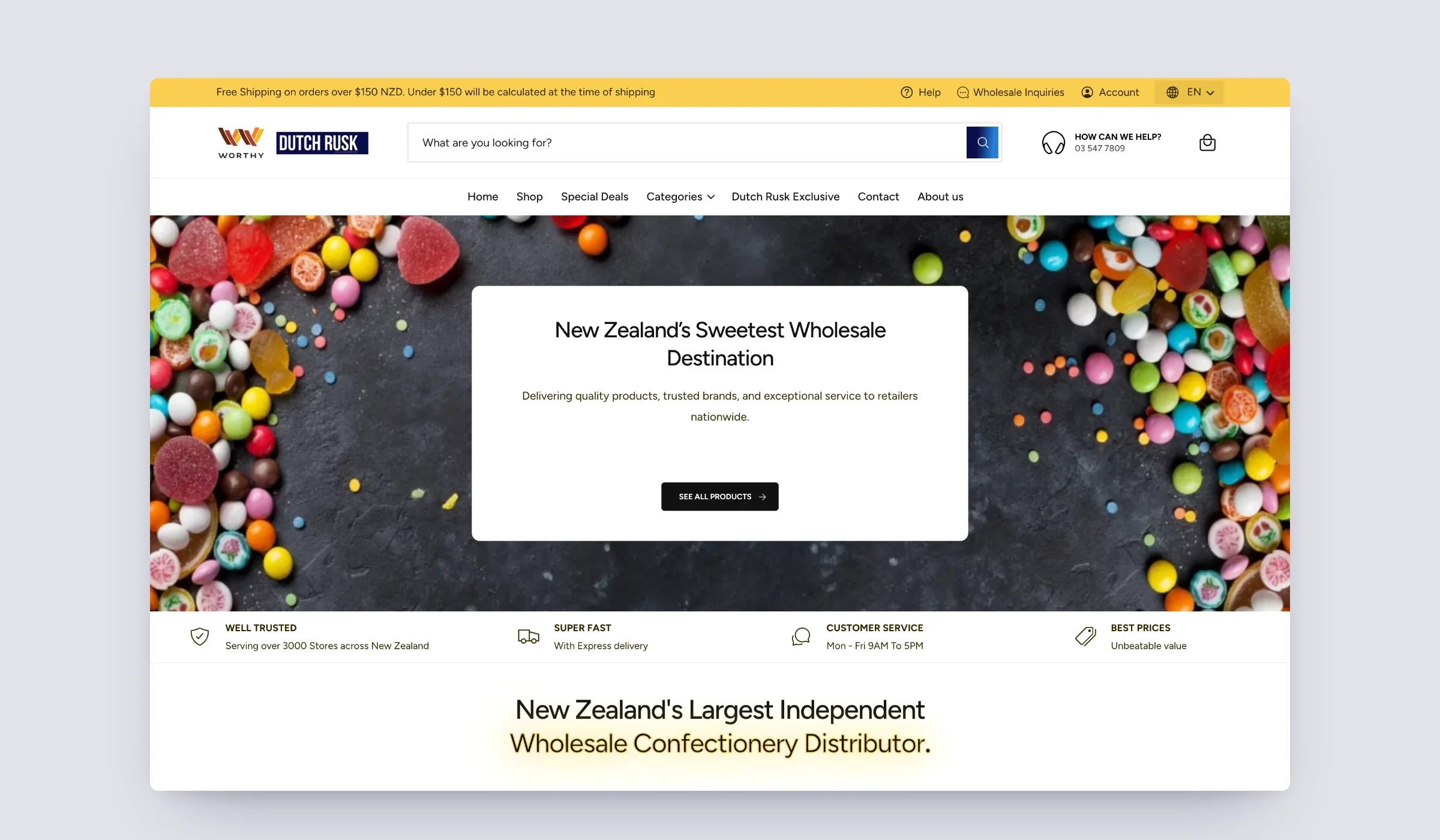
Capabilities proven here
- 01B2B trade pricing
- 02Custom Shopify app
- 03Password or code sign-in
- 04Multi-store switching
- 05Pack-size ordering
- 06Ostendo ERP integration
Services behind this work Shopify Plus development/Shopify app development/Odoo and ERP integration
The brief
DutchRusk supplies confectionery, drinks and snacks to retailers across New Zealand. Orders used to arrive by phone, email and forms, and someone retyped every one of them into Ostendo, their warehouse system.
They needed a trade store their customers would actually prefer to use: fast to reorder from, clear about pack sizes and stock, priced for each account, and wired to Ostendo so an order never has to be typed twice.
Services & technology
- Shopify Plus build
- B2B company accounts and trade pricing
- Collection and filter architecture
- Product and pack-size UX
- Ostendo ERP integration
- Custom Shopify app (Catalog Manager)
- Custom sign-in with password or one-time code
- Multi-store switching
- Shopify Functions for B2B pricing
01Homepage
A front door that tells a trade buyer where to start.
The homepage leads with the product itself, a full-width spread of the confectionery DutchRusk is known for, and a single clear route into the range.
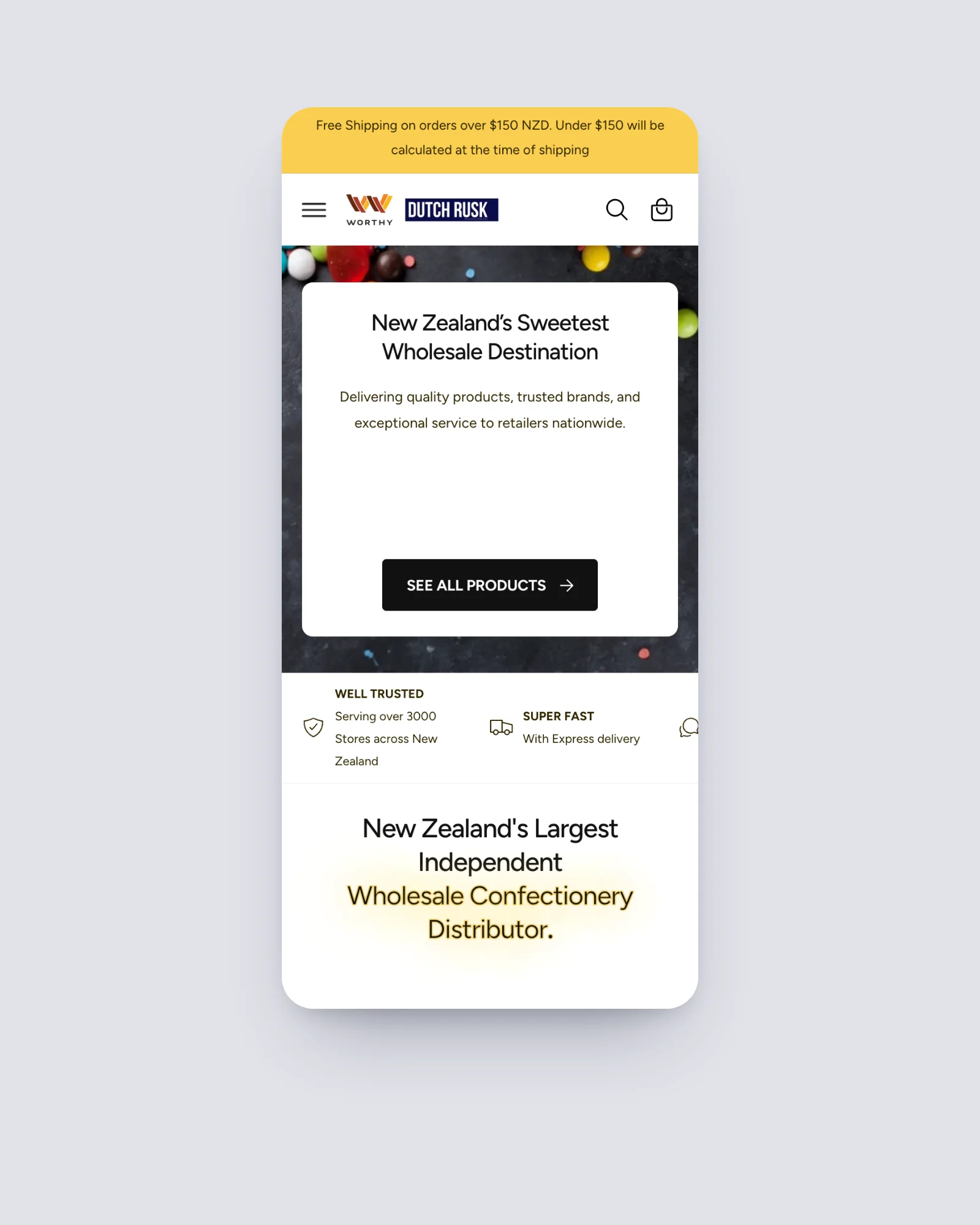
Below it, a trust strip sets out what matters to a retailer: reach across the country, express delivery, weekday customer service and value. New arrivals, a search panel for confectionery, drinks and gummies, and shortcuts by collection and by brand get a buyer to the right shelf in one tap.
New trade customers are handled right on the page too, with the credit application and direct debit forms one click away.
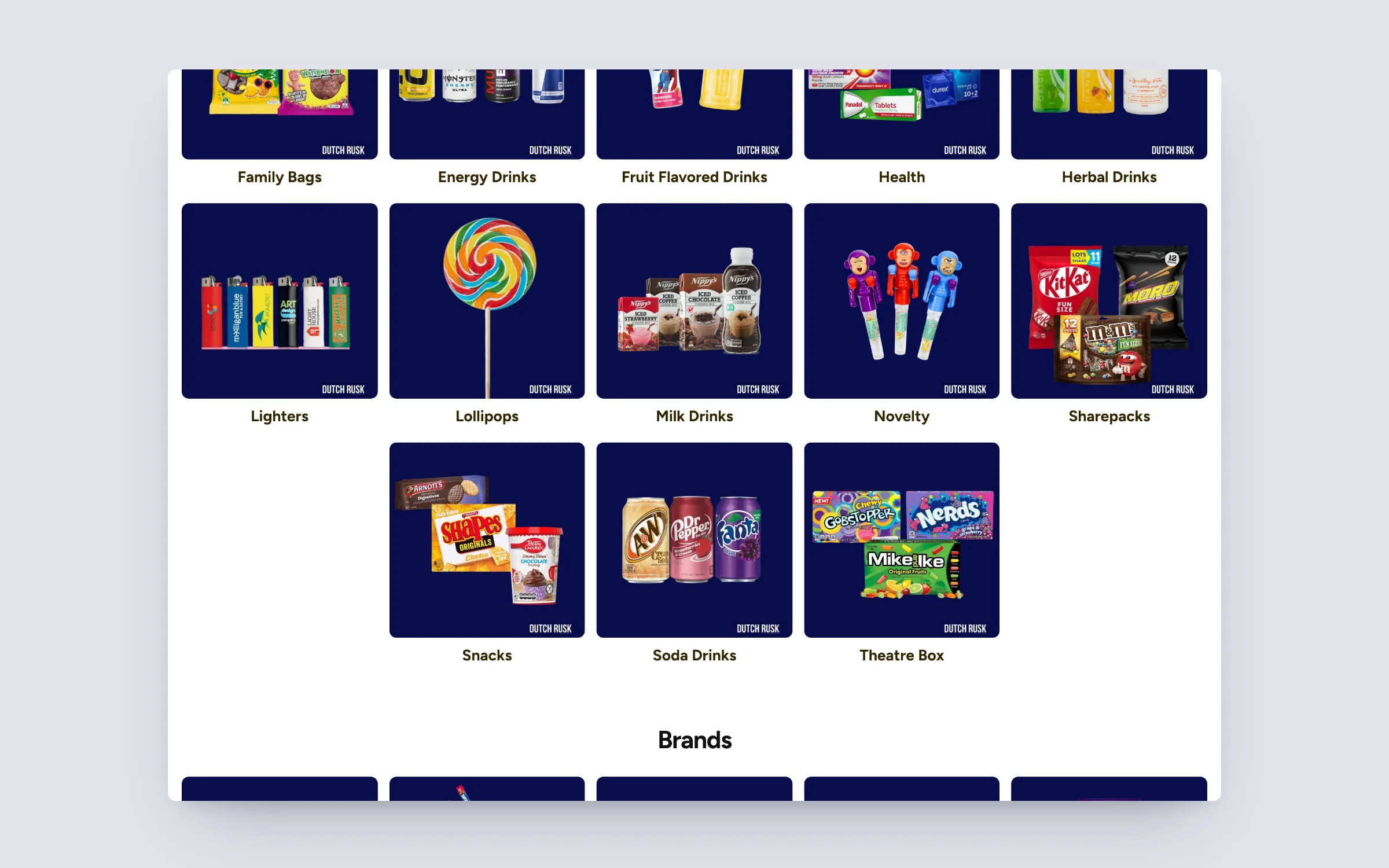
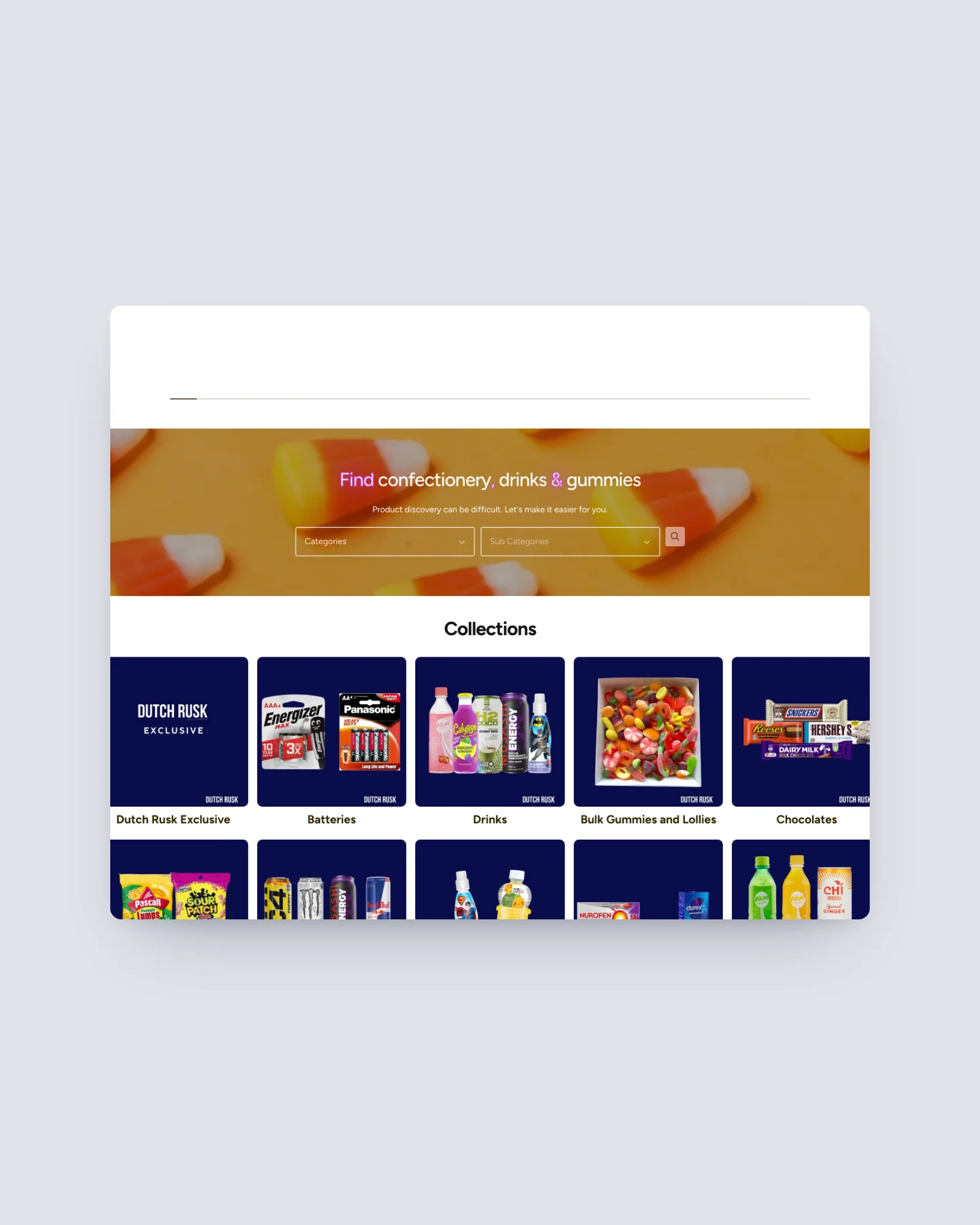
02Collections & filtering
Pack-size orderingShopify Plus development
Built for reordering, not browsing.
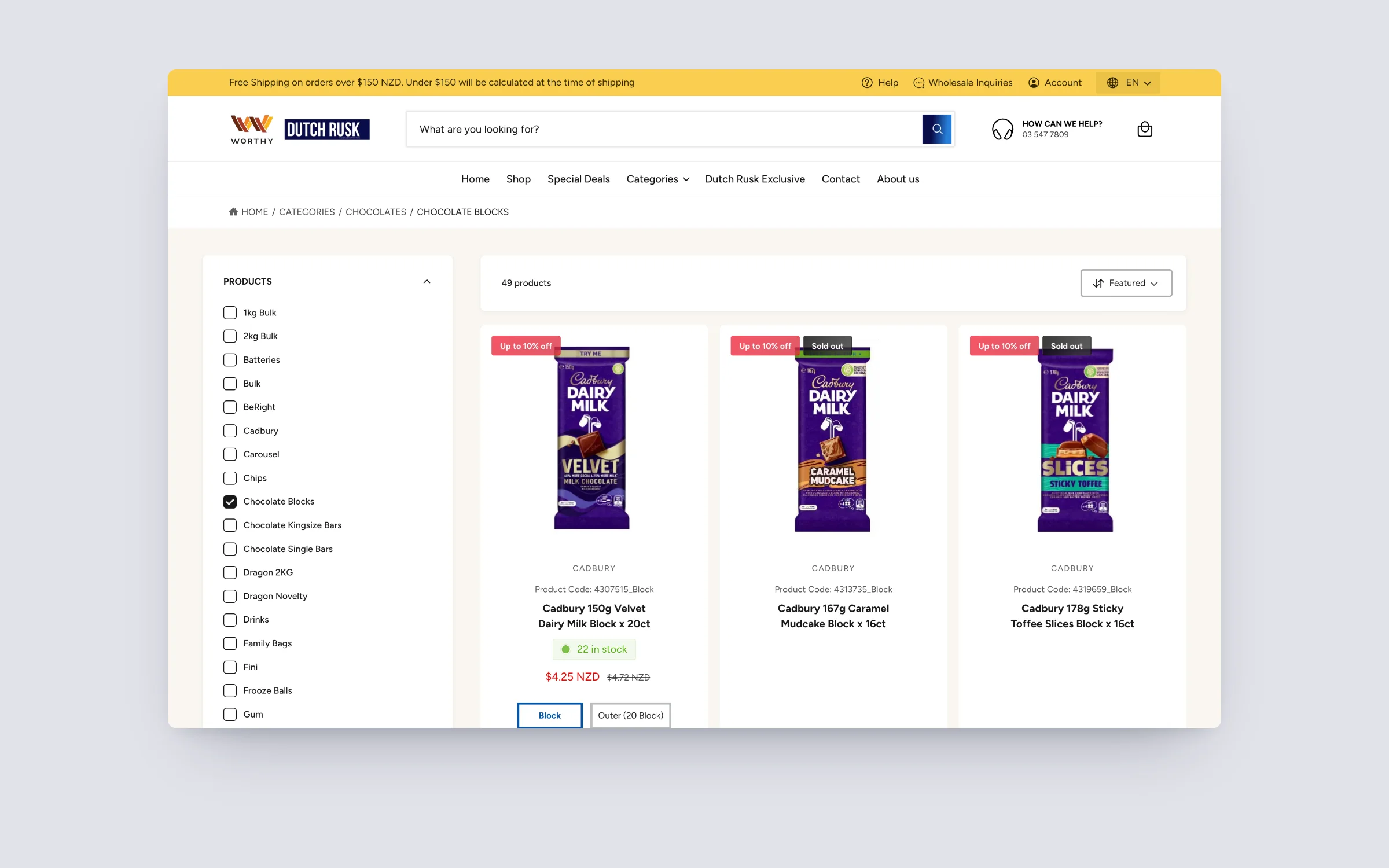
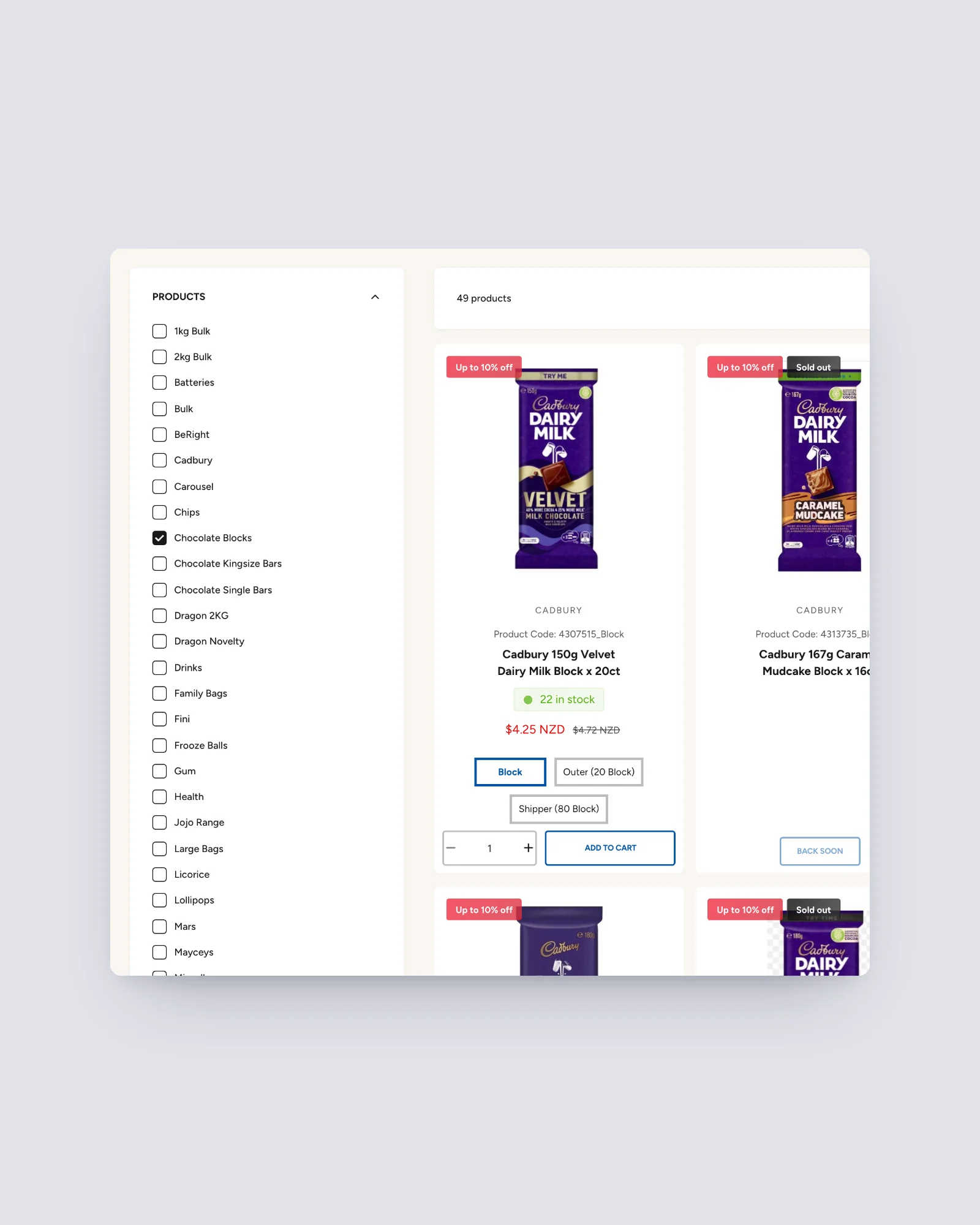
Trade buyers know what they want. Every collection opens with a category filter down the side and a sort control above the grid, so a buyer can narrow a range from hundreds of lines to a handful in seconds.
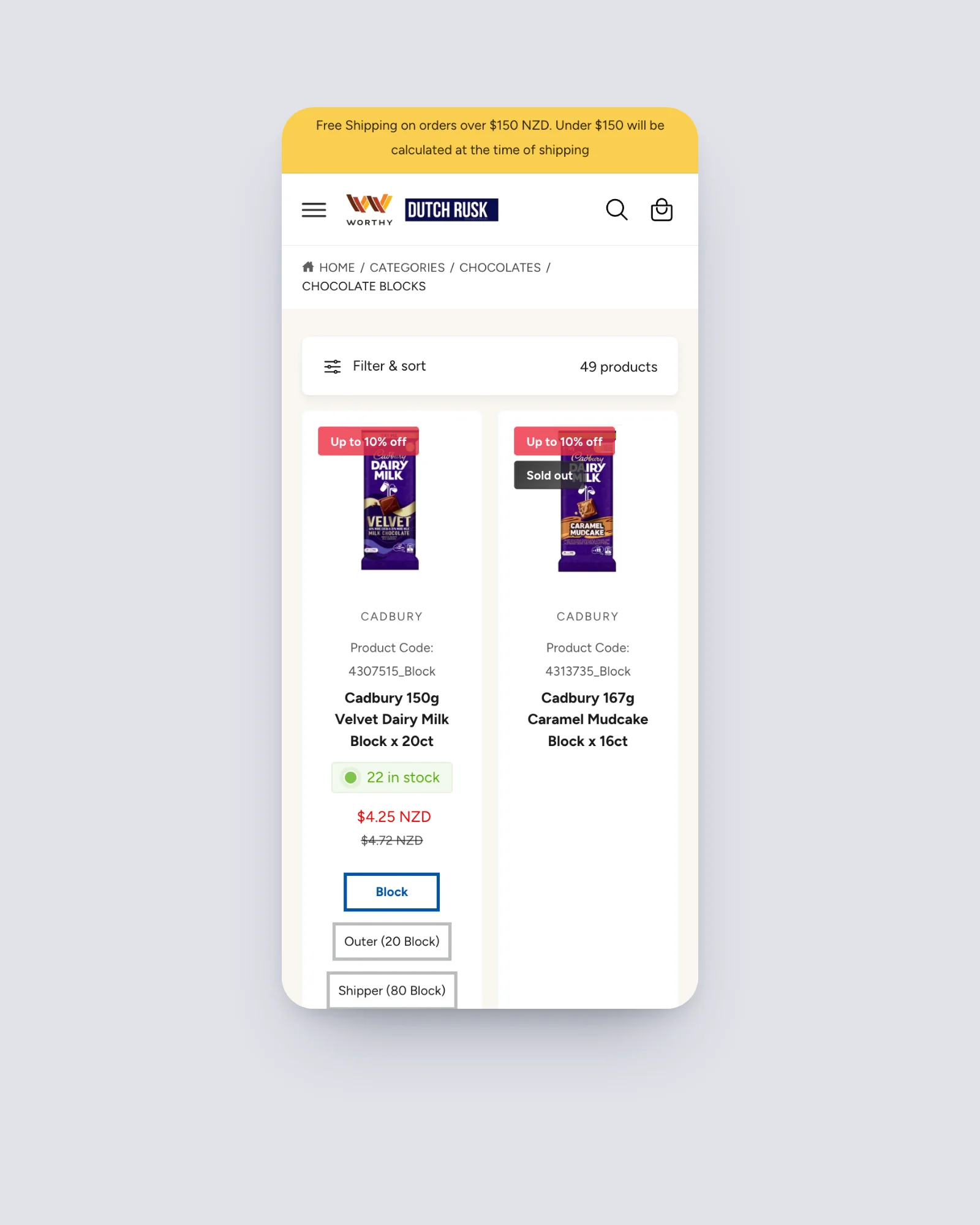
Each product card carries everything needed to order without opening the product: brand, product code, live stock, the account's trade price, and the pack sizes it comes in. Choosing Block, Outer or Shipper and adding to cart happens right there on the card.
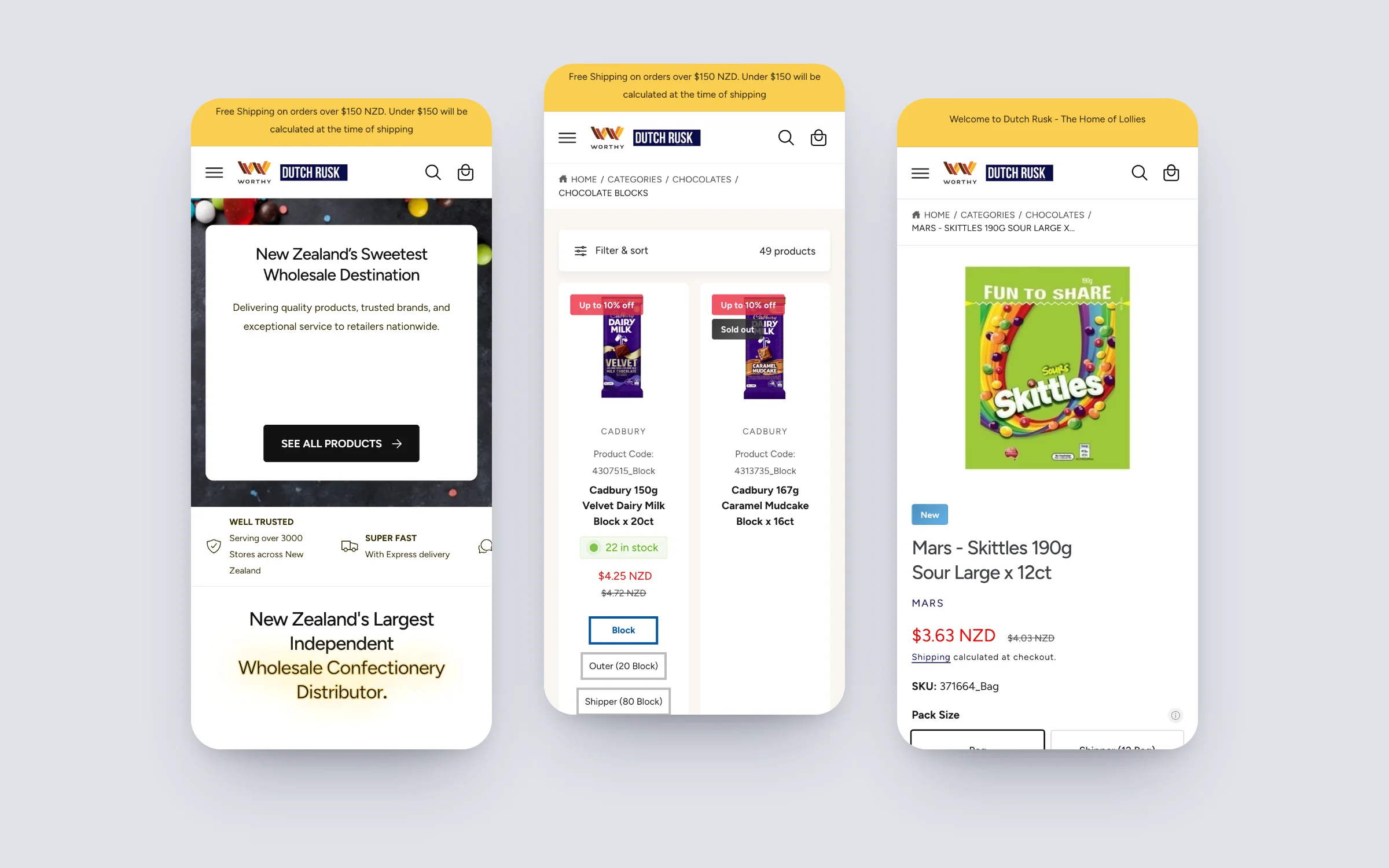
On a phone, the same filters collapse into a single Filter and sort drawer, so a store owner can place a restock order from the shop floor.
03Product page
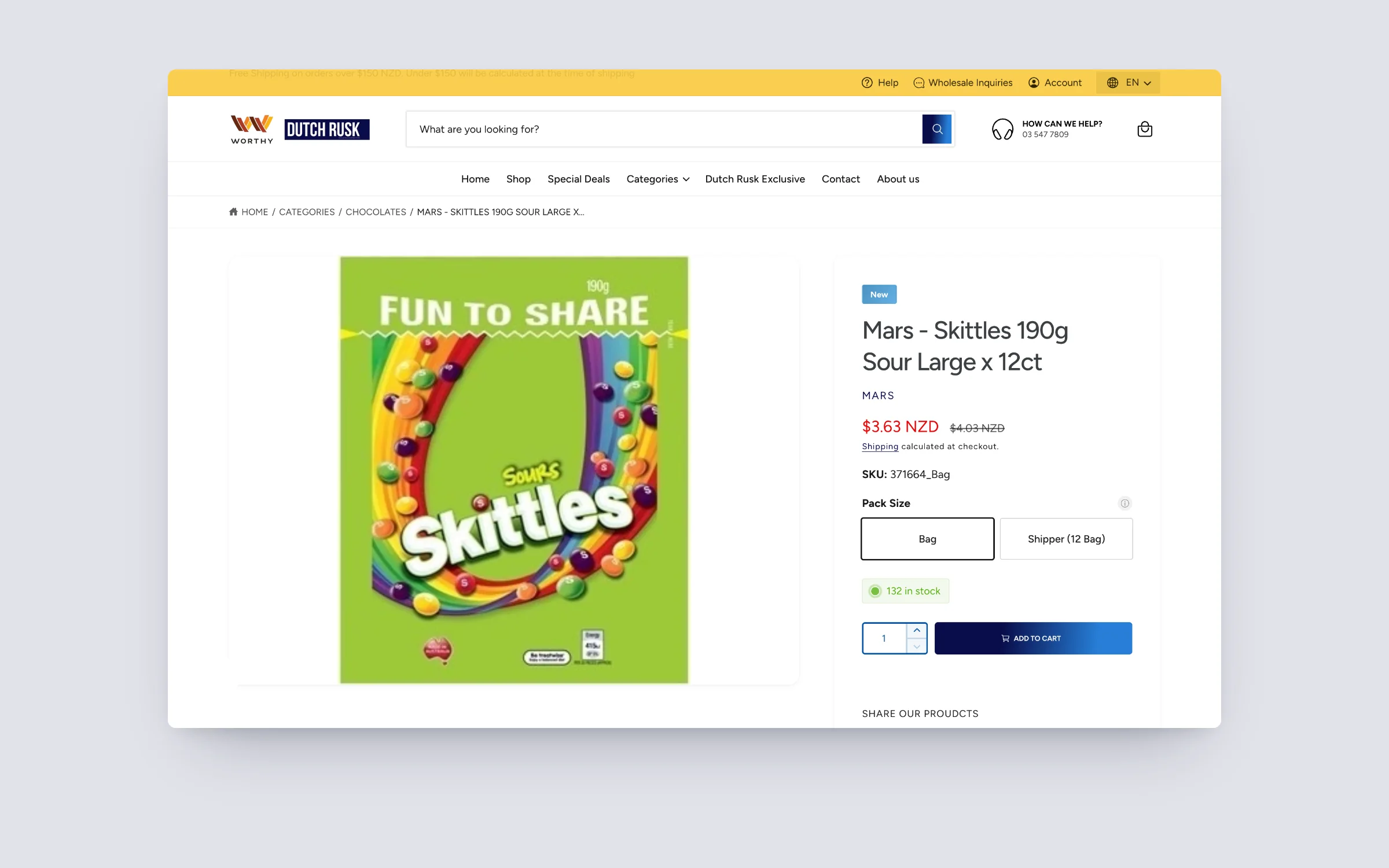
Pack size, stock and price, answered before they are asked.
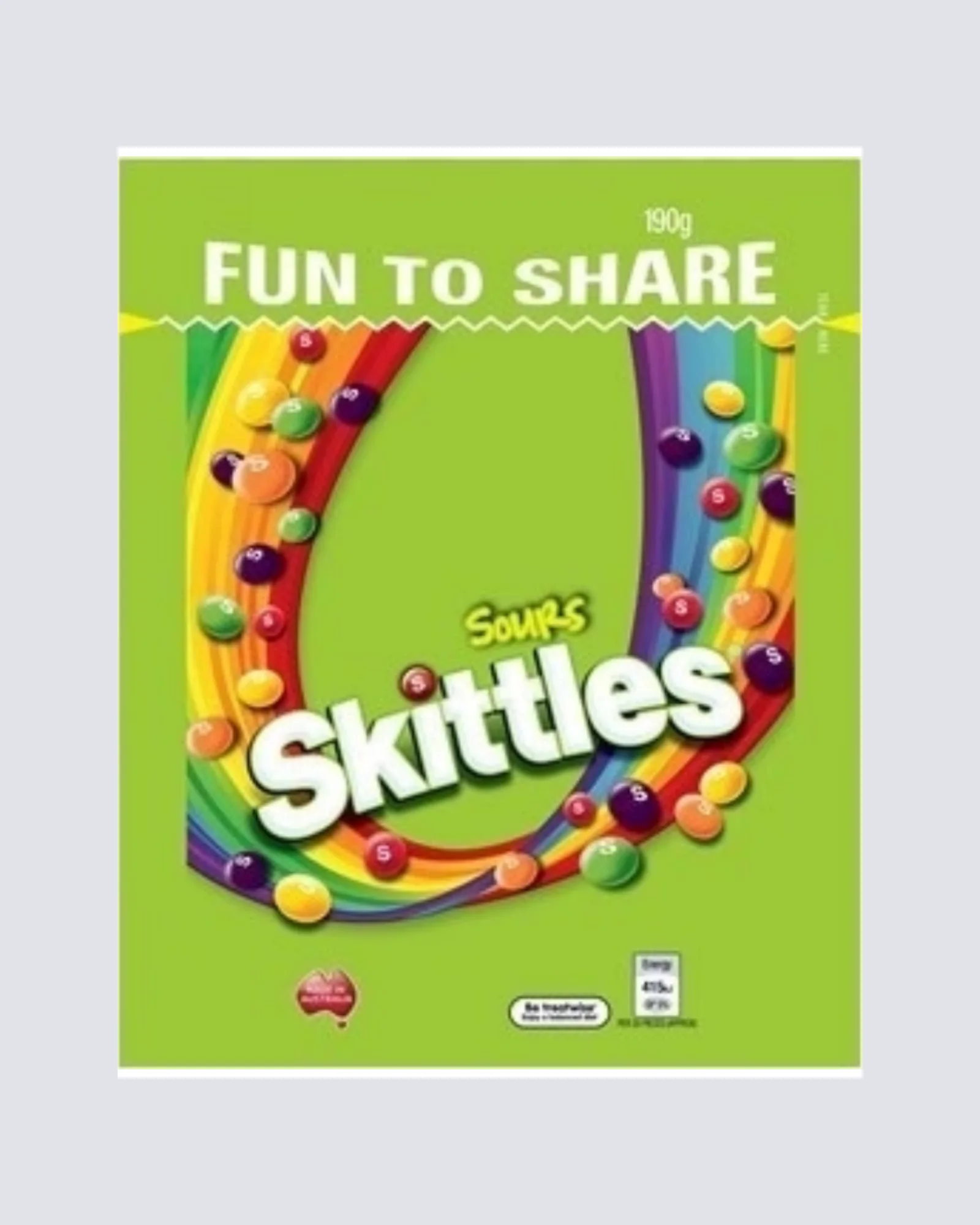
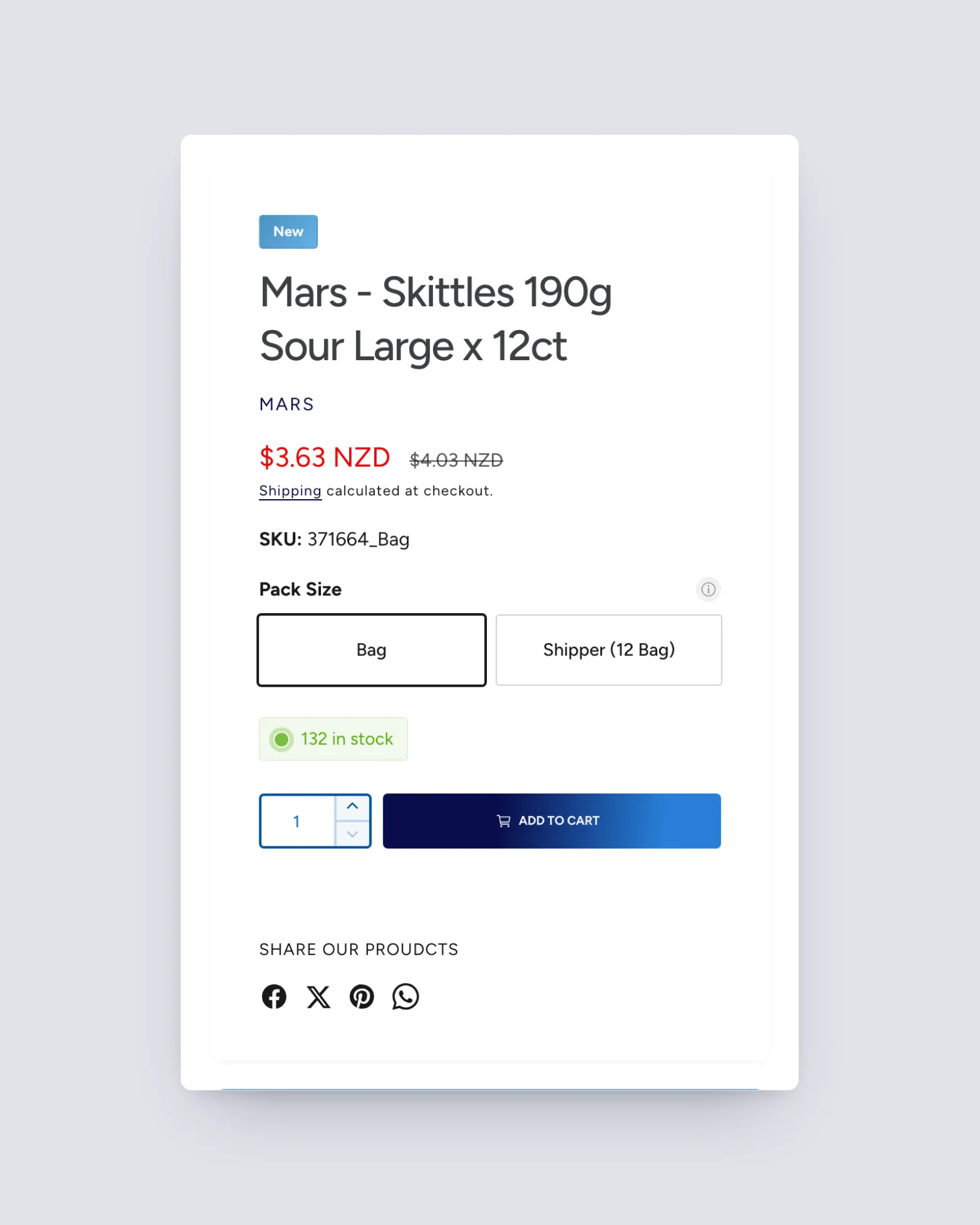
The product page keeps the decision simple. Pack size is the first choice, with each option spelling out what it contains, so nobody orders a single bag when they meant a shipper.
Live stock sits right under the price, and the SKU is on the page for buyers who order by code. Everything a trade customer needs is above the fold, next to a clear add to cart.
04Mobile
The same trade store in a pocket.
The mobile store keeps filtering, pack sizes, stock and trade pricing intact rather than hiding them behind extra taps, so a restock order works as well on a phone as it does at a desk.
05Catalog Manager
A custom app that gives every customer group its own store.
Shopify's B2B catalogs set prices per company, but DutchRusk needed more control than that: which products, which variants and which pack sizes each customer is allowed to see and order. So we built the DutchRusk Catalog Manager, a private Shopify app that sits inside their admin and runs the rules for every account.
The team sets rules once per customer group, then adds exceptions per customer where a deal is different. A convenience store chain, a cafe and a school canteen can all shop the same storefront and each see a range, a set of pack sizes and prices that are theirs.
- Variant and pack-size hiding. Hide a whole product, or only some of its variants, for a customer or group. A buyer who only takes Blocks and Outers never sees the Shipper option.
- Per-customer exceptions. Group rules cover most accounts; individual overrides handle the special deals, and the app flags every customer with exceptions so nothing is forgotten.
- Trade pricing shown as a real saving. Two Shopify Functions work as a pair so every cart, checkout and order shows the retail price struck through and an explicit wholesale discount line, not just a lower number.
- Deals by group. Buy-one-get-one and special-deal access is decided per customer group on the server, so the right buyers see the right offers the moment the page loads.
- Safety checks on every order. Each B2B order is re-priced against the customer's catalog as it arrives, and a check every 15 minutes confirms the pricing Functions are healthy, so a wrong price is caught before it reaches an invoice.
Switch customer group, watch the range and price change
Each customer group sees only the pack sizes it is allowed to order, and every cart shows the retail price struck through with an explicit wholesale discount line. Use the buttons to switch the signed-in account.
Example brand
Milk chocolate block 150g
24 in stock
Pack sizes this account can order
Hidden for this group: Shipper
Hidden for this group: Outer, Shipper
Hidden for this group: single Block
Retail price$5.00
Wholesale discount−$1.00
You pay$4.00
Retail price$100.00
Wholesale discount−$20.00
You pay$80.00
Retail price$400.00
Wholesale discount−$80.00
You pay$320.00
Example products and prices for illustration only. Not DutchRusk’s data.
06Login and store switching
Sign in with a password or a code, and switch stores in one tap.
DutchRusk's retailers came from an older wholesale site where they signed in with a username and password. Shopify's standard B2B sign-in sends an emailed code every time, and many owners run several stores, each with its own account, so the standard flow meant logging out and waiting for a new code every time they changed store.
We built DutchRusk its own sign-in on Shopify Plus, running as a secure identity provider inside the Catalog Manager. Retailers can sign in with their password or an emailed one-time code, whichever suits them, and a device they have already verified is remembered.
- Password or one-time code. Both options on the same sign-in page, with invite, reset and set-password flows the DutchRusk team manages from the app.
- Store switching for multi-store owners. An owner with several stores switches between them from the header without logging out or entering a new code, and each store keeps its own cart, catalog, prices and order history.
- Orders always land on the right account. Every store stays its own Shopify customer, so orders flow into Ostendo against the correct store every time.
- Shared cart across devices. Staff and managers on the same store login see the same cart on every device within seconds, and once an order is placed the other carts clear so nothing is ordered twice.
One owner, two stores, no logging out
An owner with several stores switches between them from the header. Each store keeps its own cart, so adding to one never touches the other, and no new code is needed to switch.
Fruit gummies 1kg bag
$12.00 trade
- Store A cart
- 2
- Store B cart
- 0
- Sign-in codes needed to switch
- 0
Example stores and products for illustration only. Not DutchRusk’s data.
07Personalised for every account
Built around how each trade customer actually buys.
The custom work goes well beyond pricing. Everything a buyer sees is decided per company and per customer group, on the server, before the page is drawn, so the store never flickers, jumps or shows the wrong range.
- Public browsing, private prices. Anyone can browse the range, while prices, ordering and the cart appear only for signed-in wholesale accounts. A checkout rule blocks any order without a company account.
- Brand-grouped collections. A scheduled job keeps every collection grouped by brand and then by pack size, from single bars through to bulk bags, ranked by what sells, which Shopify cannot do on its own.
- Sales rep notifications. When a customer orders, their own sales rep gets an email with the order, PO number and notes, matched from the rep code held in Ostendo.
- Credit and direct debit forms on the site. New trade customers apply without leaving the store.
Results
Ostendo ERP integrationOdoo and ERP integration
Every order placed on the storefront now reaches Ostendo on its own. The manual order entry that used to fill someone's day is gone.
- ~150
- Manual order entries a day, now zero
- Live
- Two-way sync between Shopify and Ostendo
- Trade pricing and company accounts visible only to signed-in customers
- Pack-size ordering on every product card and product page
- Stock levels flow back from Ostendo, so the store never sells what the warehouse does not have
- Product, variant and pack-size visibility set per customer group, with per-customer exceptions
- Sign in by password or one-time code, and switch stores without logging out
Order volume figure supplied by DutchRusk.
Questions
What does a Shopify Plus B2B storefront actually replace?
It replaces the phone calls, emails and spreadsheets a wholesale team normally uses to take orders. Trade customers log into their own company account, see their own negotiated pricing, and place the order directly. Nobody on the supplier side has to retype it into the warehouse system afterwards.
How does login-gated wholesale pricing work on Shopify Plus?
Customers are assigned to company accounts with their own price lists. Pricing and, if needed, entire sections of the catalog stay hidden until a trade customer signs in. A retail shopper and a wholesale account can look at the same storefront and see two different stores.
What does connecting a Shopify storefront to Ostendo actually do?
It keeps stock, pricing and orders moving between the two systems automatically. An order placed on the storefront lands in Ostendo without anyone typing it in, and stock levels update back to the storefront the same way, so the two systems do not drift apart.
Is a B2B storefront only worth it for large distributors?
No. The economics work as soon as manual order entry is costing real staff hours every day. A distributor doing a fraction of DutchRusk's volume can still remove most of that admin time with the same approach, just scoped to match the order volume.
Can Shopify B2B hide some variants or pack sizes from certain customers?
Not on its own. Shopify's B2B catalogs control prices per company. On DutchRusk we built a custom app, the Catalog Manager, that hides whole products or individual variants and pack sizes per customer group, with exceptions per customer, and enforces it on the server so the storefront never shows the wrong range.
Can B2B customers on Shopify sign in with a password instead of a code?
Yes, on Shopify Plus with a custom identity provider. DutchRusk's retailers can choose a password or an emailed one-time code, and multi-store owners can switch between their stores without signing in again.
Related case studies
All work FMCG distributionWorthy Products A wholesale storefront wired to Odoo by a connector that self-heals every hour. 50 to 80 manual order entries a day, now zero.
 Watch partseWatch Parts One catalog of 18,000+ products kept in sync across Shopify, eBay, Amazon and Walmart.
 Beef & lamb boxesBurgess Peaks The whole store built end to end, connected to Facebook and Instagram, with homepage image memory cut from 75.7 MB to 8 MB.